How to Upload
1. Sign up on Wix.com.
2. Sign up on Book Sharing Club and get a permission as a blog writer.
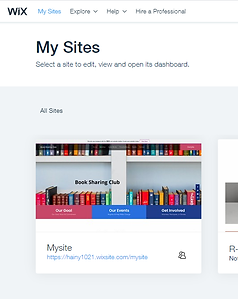
Then you can find the 'Book Sharing Club' in the My Sites on Wix web page.
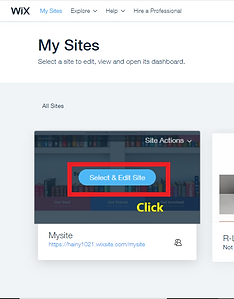
Mouse over the 'Book Sharing Club' and Click the 'Select and Edit Site'.
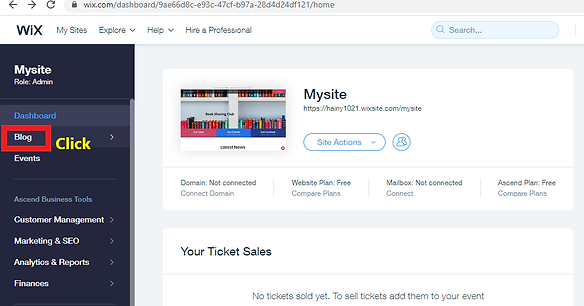
3. Click the menu 'Blog' on left.
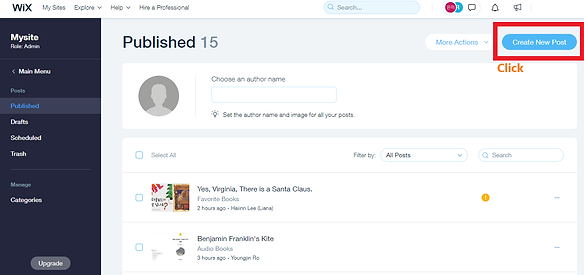
4. Click the button 'Create New Post'.
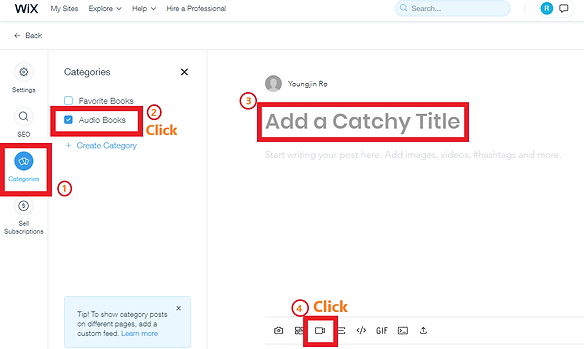
5. Click the menu 'Categories' and select the Checkbox"Audio books".
Then add a Title and click the Video button to upload the video file.
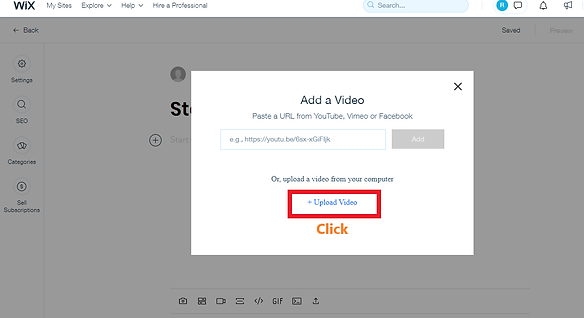
6. You will see the 'Add a Video' Message box, and Click the button '+ upload video'.
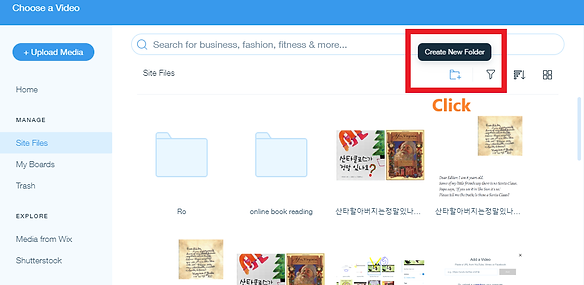
7. Create the New Folder with your name's initial.( After creating the folder, you must use the folder for your media file)
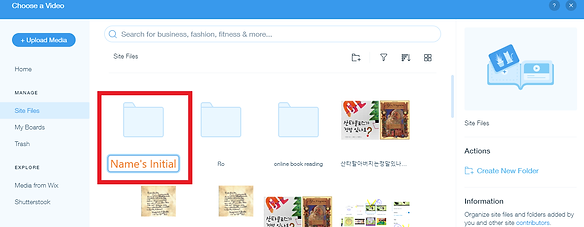
8. In your Folder , Click the button '+ Upload Media'.
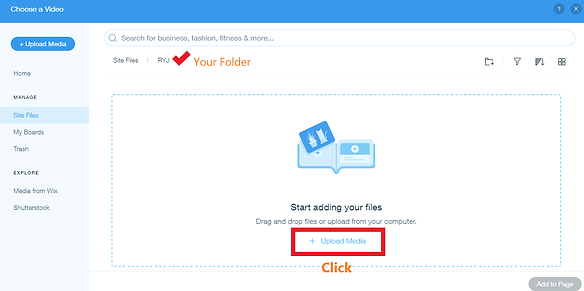
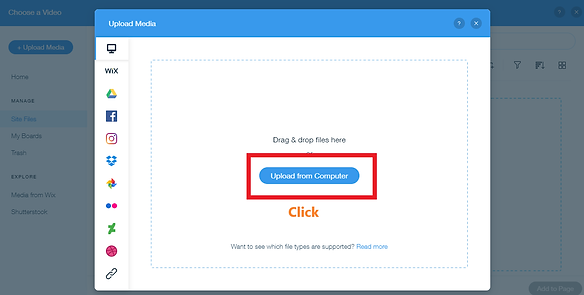
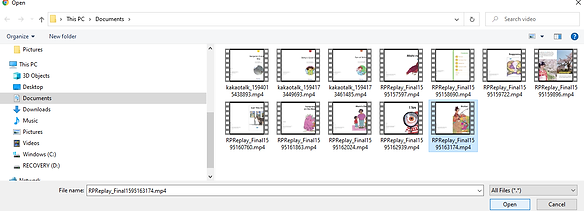
9. Click the button ' Upload from computer' and select the video file from your computer.
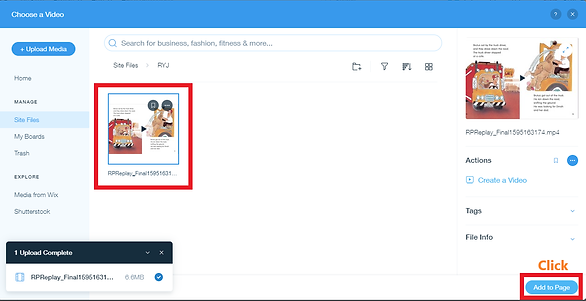
Then you can find the video in your folder.
Select the video file to upload and Click the button 'Add to page' in the 'Choose a Video' page.
10. You can check your video file on the 'Audio Books' pages in the Book Sharing Club.